Live 360° scene. Drag to look around.
FilmUploadSimulateEngage

Training built from real places, live in under 24 hours.

Film a 360° walk-through of your own site, upload it, place the steps in the FUSE Studio, and your team is training on a phone, a computer or a Meta Quest headset. No developers. No custom hardware. No game world standing in for your workplace.
16
live demonstrations, open on any device
350+
interactive steps across them
18
kinds of step the Studio can author
3
screens: phone, computer, Meta Quest
How it works

Four steps. One afternoon.

Most simulation platforms are rigid and vendor-dependent. FUSE flips that model: the people who know the job film it, and the training is theirs the same day.

F

Film

Walk the real hangar, cab, yard or checkpoint with a 360° camera. A still 360° photo works too, and so does ordinary flat footage of a panel or a screen.

U

Upload

Drop the footage into the Studio. It runs in the browser, keeps everything on your machine until you export, and needs nothing installed.

S

Simulate

Aim at the thing that matters and place a step on it: touch here, look here, a question under a clock, put these in order, find every hazard. Eighteen kinds, all narrated.

E

Engage

Export one file, or one link. It plays on a phone, a laptop or a Meta Quest 2, 3 or 3S, and every answer, look and touch is recorded for reporting.

Demonstrations

Sixteen trainings you can open right now.

Each one runs entirely in the browser. Pick an industry, press play, and use headphones: every step is narrated.

Scenes marked this way are generated 360° images built to show the method, not photographs of a real site, and each training says so on its first card. Everything else is filmed.

Every screen

One training. Every device your team already carries.

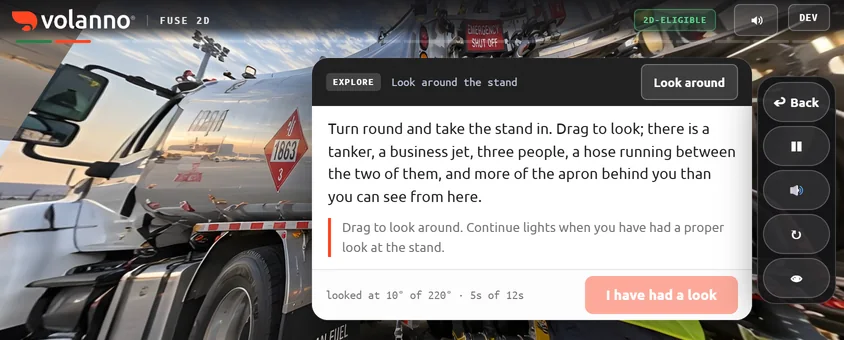
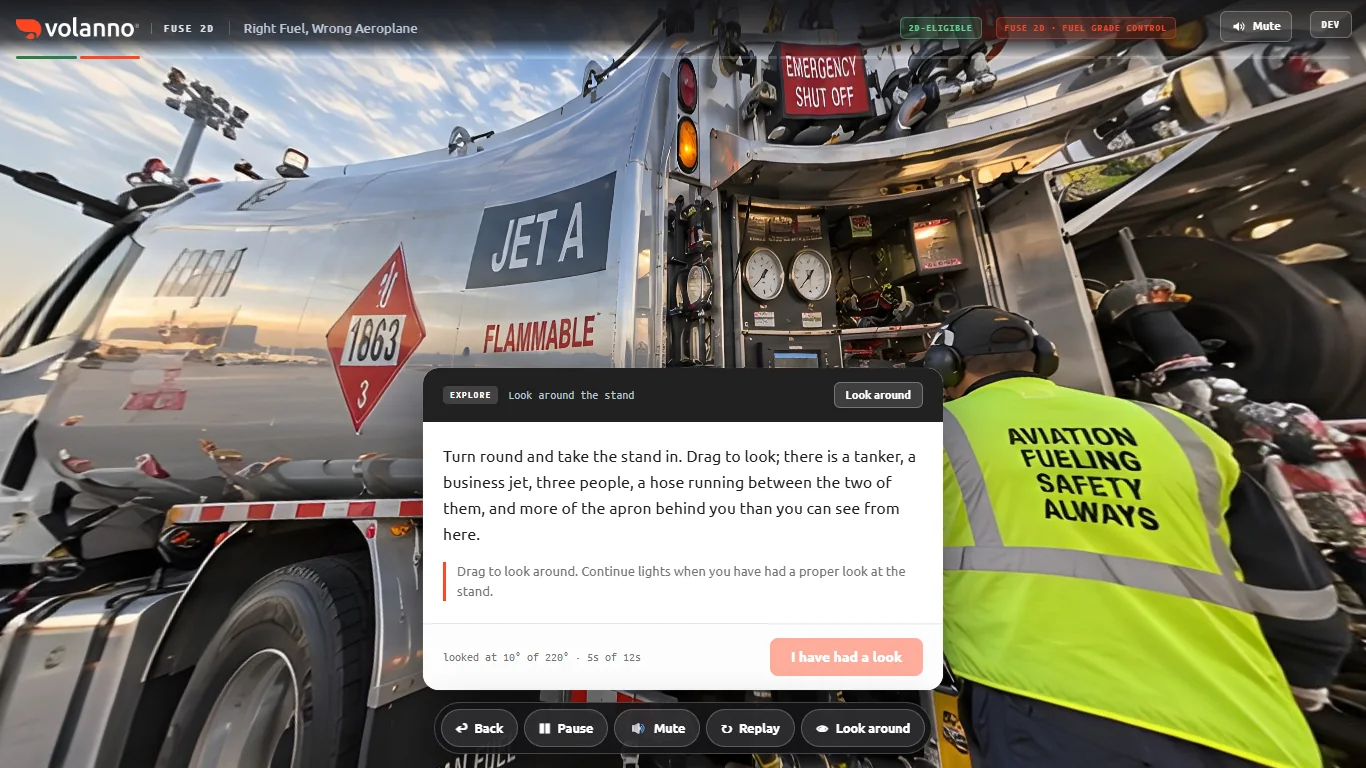
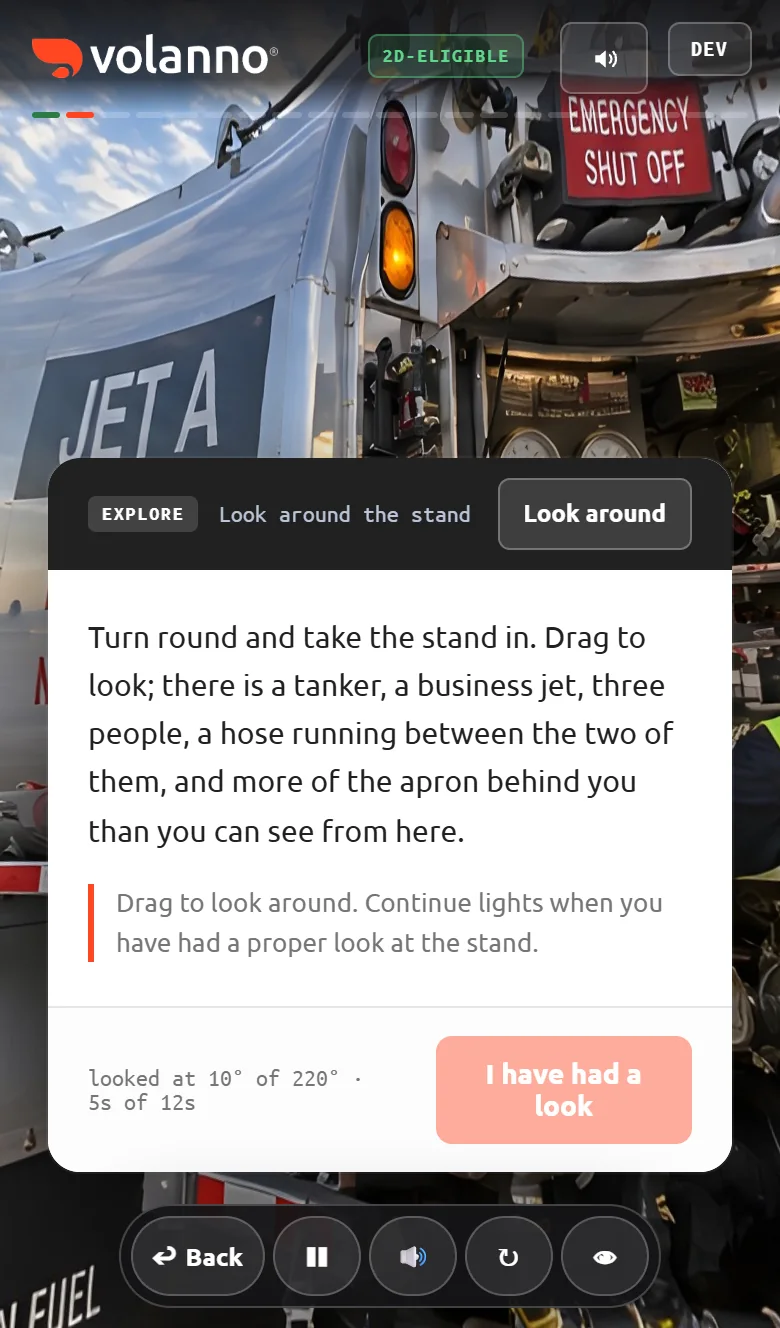
These are real captures of the same training, not mock-ups. A phone held sideways gets its own layout, two fingers zoom the room, and the headset plays the very same file.

Laptop1366 × 768
The fuel grade training on a laptop: a 360° fuelling stand with the narration card open
Phoneupright
The same training on a phone held upright
Phonesideways
The same training on a phone held sideways, controls in a column on the right

And the headset. The same training manifest runs on Meta Quest 2, 3 and 3S with hand tracking, gaze triggers and voice. Build once in the Studio; the browser build and the headset build come from the same file.

Interactive by design

Eighteen ways to make them do it, not watch it.

Every kind of step the Studio can author, and every one of them is in the demonstrations above.

The FUSE Studio

Build a training in minutes. Play with one here.

The Studio is the tool our own team builds every demonstration with, and a demo copy of it runs right here in the page with one training loaded. Play it through, then move a step or add one and play it again.

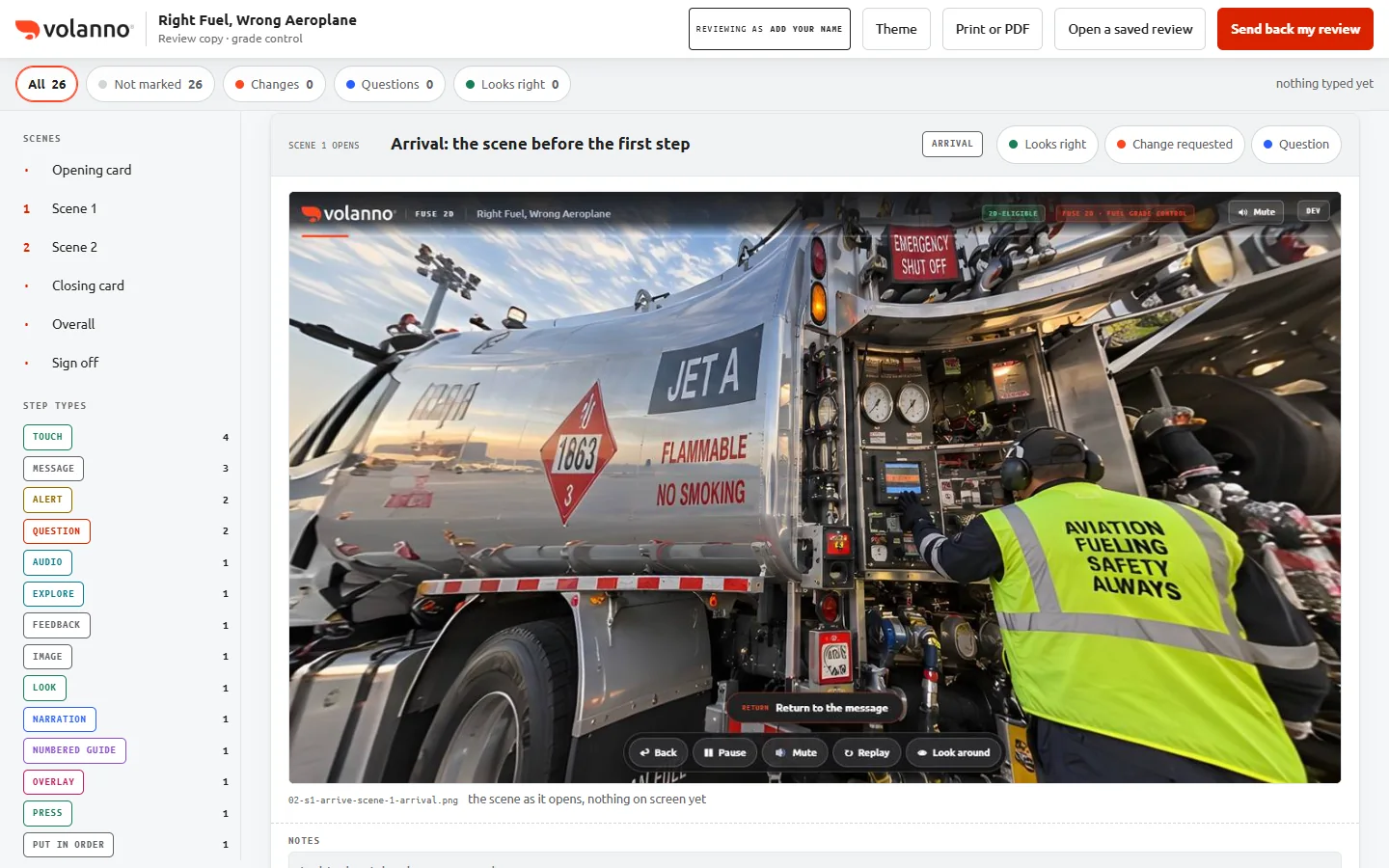
The storyboard for Right Fuel, Wrong Aeroplane: the scenes and step types down the left, scene 1's opening screenshot with its script, and a Looks right, Change requested or Question button on each step
Every training ships with a storyboard: each step's screenshot beside its script, a Looks right, Change requested or Question mark on every one, and the whole review sent back as a file. Open this one and mark it up yourself.
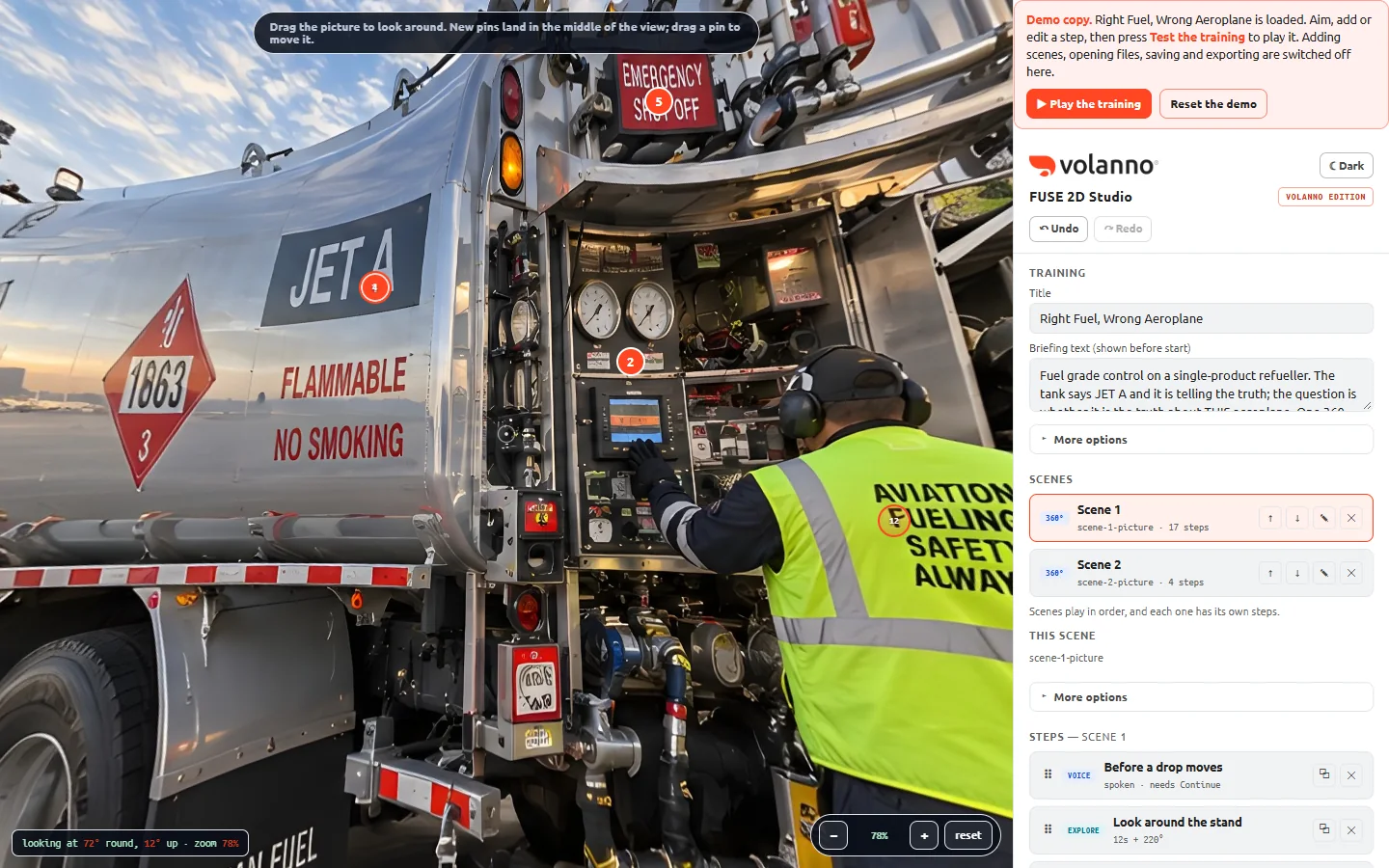
The FUSE 2D Studio with a real training open: a 360° fuelling stand on the left with numbered steps placed on it, the training's scenes and steps listed on the right
The same training open in the Studio: two 360° scenes, twenty-one steps, every one of them editable.
The Studio's step list and the eighteen add-a-step buttons
Eighteen step buttons, then Test the training and Export: one file for the browser, one for the headset.
  1. Right Fuel, Wrong Aeroplane opens in the Studio, every step of it.
  2. Press Play the training to take it, or aim and add a step of your own.
  3. Press Test the training to play what you changed. Reset puts it back.
Loading the Studio…

Best on a computer with a mouse. This is the real Studio with one training loaded as a demo: you can play it, move and add steps and test the result. Adding your own scenes, opening files, saving and exporting are switched off here; the FUSE Builder is where a full training gets made.

Why FUSE

Real environments, not game worlds.

Mission ready

Built from captured environments and aligned to your procedure. Deployed in hours, not weeks.

Future resistant

Conditions change, so you film the new scene and rebuild the training yourself. Nobody waits on an outside team.

Unrestricted

No proprietary hardware and no fixed infrastructure. A link works on the devices your teams already have, wherever they are.

Insight driven

Every look, touch, answer and hesitation is captured for evaluation, analytics and reporting.

Next step

See your own site in FUSE.

Send us one 360° photo of a place your people train in. We will send back a working FUSE scene you can open on your phone, and a 30-day trial to build the rest.

Volanno, 815 Monroe Street NE, Washington, DC 20017